Lately, my list of Adobe AIR applications has grown tremendously. I thought I’d share the AIR apps I have installed and use on a weekly basis. This post was inspired by JeffisaGeek’s pos on using Adobe AIR.
Google Analytics Reporting Suite
 Google Analytics Reporting Suite on AIR brings you the best of the Google Analytics web tool for statistics. When I don’t feel like bogging down Firefox with more tabs, I just open up GARS for a quick look at my stats. The neatest thing about GARS is that I can get an export of my data in either PDF, Excel, or XML format. It’s a really handy tool and easy to setup.

Doomi
Doomi is just a neat little to-do list app for jotting things down on the fly. I use it for writing down quick brainstorming ideas, news, tips, or phone numbers when I can’t find a pen. Very handy little tool.

Feedalizr
Feedalizr is a FriendFeed desktop client for keeping up with the service. I won’t rehash this. Instead, you can check out my latest review of the service: Feedalizr FriendFeed App Is Back In The Game.

Shrink O’Matic
Shrink O’Matic is great for on the fly resizing. I hate having to open up Photoshop just to resize a picture. Shrink does it for me with plenty of basic options, though if you need something more, go back to Photoshop.

Snackr
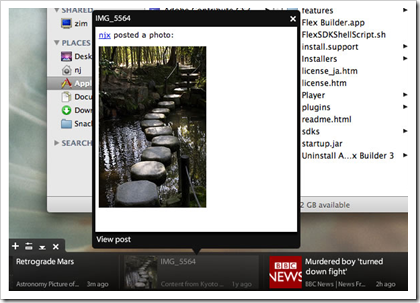
 Reviewed on ReadWriteWeb by Marshall Kirkpatrick, Snackr is great for getting news on the fly without being in Google Reader or FeedDemon. I don’t suggest importing your entire OPML if you have a ton of feeds, but I have heard stories from those that do. It’s useful for leisure perusing without feeling your ADD kick in and docks itself on the bottom, top, left, or right side of your screen.
Twhirl
 Twhirl is my Twitter client of choice. You can check out my reviews: The FriendFeed Desktop Apps Disappoint Me, Twhirl Integrates Friendfeed: The Chaos Begins.

uvLayer
 I recently reviewed uvLayer on ReadWriteWeb. It’s a fantastic app for viewing videos. Check out the review for more info. It’s definitely worth a look!

WebKut
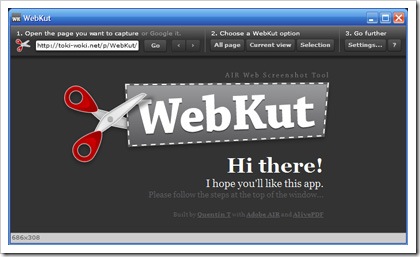
WebKut is my on the fly snipping and website capturing tool of choice. A nice set of options for cropping entire websites or just select parts. Really useful! You can read my review here: WebKut Makes Blogging Easier.
AIR Nut
I must admit that I am a bit of an Adobe AIR fan, so if you have any AIR apps that you’d like to share leave a comment with some links! :) Also, I found a really great Adobe AIR directory called FreshAIRApps. Read the review on ReadWriteWeb (of course).