One of the many annoying things about Twitter is that I can’t easily see a conversation between myself and another Twitter users. While there are many difficult ways to do this, none of which anyone should try, the Summize Twitter search engine has a great way to solve the problem!
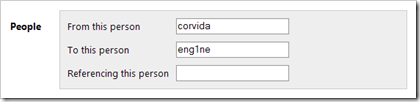
While this may not be the most efficient solution, it’s definitely the easiest! Simply head to the Summize web site and click on "advanced search". From here scroll down to the ‘People’ section and type in the username of you’d like to see tweets from to the username of the person they’re tweeting to. Click search and Summize will provide you with all tweets from one Twitter user to another. To get the opposite, simple switch the usernames in the search box.
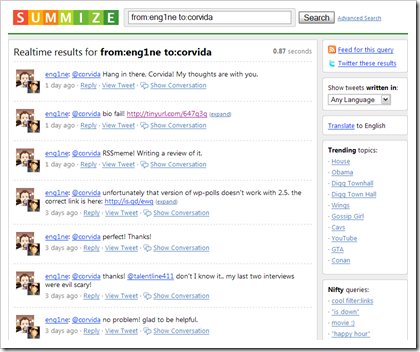
Here’s an example of tweets from me to one of my favorite bloggers Phil Glockner of Scribkin. Pimpin Moment: You must read his latest awesomesauce review of RSSmeme (Tell Me All About RSSmeme). Don’t forget to subscribe to Scribkin too! (Subscribe Here)
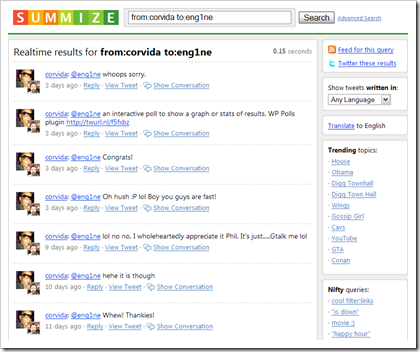
As I stated above, just switch the names and you’ll get:
Now this could become a tedious solution, but it’s better than manually searching Twitter for everything. On a side note: you can also add Summize to your list of search engines!