 I’m a huge fan of customization, especially when it comes to my gadgets. I LOVE to customize things. While a million people can purchase the same shirt, all of them won’t wear the same pants with that shirt. Customizing my gadgets in any way is just another way for me to express myself and style.
BackDrops iPhone App
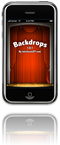
I was pretty excited when Christina Warren of TUAW told me about BackDrops by InterfaceLift. BackDrops for the iPhone features a ton of stunning wallpapers that you can download directly to your iPhone. You can view the wallpapers available in BackDrop by most recent, top rated, and random. The BackDrops app also lets you view images by categories, which breaks the wallpapers down by color, scene, location, subject, equipment, and medium.


Best Features
What’s most impressive about BackDrops is that the majority of the wallpapers are high quality and aren’t optimized only for the iPhone. Heading to InterfaceLIFT wallpaper gallery provides you with more resolutions and information pertaining to the artists of these awesome creations. The app does provide an option to automatically save images to your iPhone, but it recommends using the iPhone’s built in screen capture feature for better image quality. You can take a screenshot by pressing the “home” and “power” buttons simultaneously. The iPhone will snap and save a screenshot of what’s currently on your screen.
Get BackDrops For Your iPhone
Personally, I think it’s worth paying $1.99 for quality wallpapers when you don’t have time to weed through them yourself. Head to iTunes to purchase BackDrops or….
…..win a code right here on SheGeeks to redeem BackDrops for free!
To win: list one customization application that has held your attention recently or for an extended period of time. It can be anything as long as you use it to customize one of your gadgets. Tell me why you love it and recommend it. Best app wins!