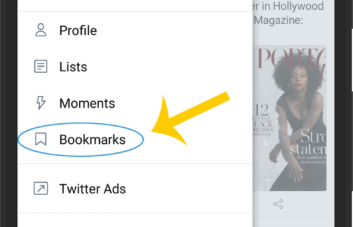
With the imminent launch of lists, or groups, on Twitter, you’re probably wondering how the hell you’re going to use this feature. Why is Twitter adding lists long after several clients have already integrated Groups? Groups are a popular feature in Twitter clients such as Tweetdeck, Mixero, and Hootsuite. They offer many advantages and flexibility options for Twitter power users and those that follow thousands of people. However for the average Twitter users, this just seems like another chore right? WRONG!
Advantages of Grouping Twitter Followers
Those who take advantage of groups have many advantages over others including:
- Being the first to know about new announcements
- Building new relationships relatively quickly
- Strengthening current relationships over a shorter period of time
So what and who do you group? Well there are many ways that you can group your followers. Here are 5 of the most effective ways I’ve discovered as a blogger to group my followers:
Track clients
If you’re managing a ton of clients or maybe just a few, but with numerous employers to keep track of, grouping them is an easier way to keep track of what everyone’s tweets.
Track Brands
Got favorite brands that you want to keep updated on what new products or services they’re using? Group their twitter accounts!
Track Your Favorite Blogs
More blogs are starting to push their updates to Twitter. Some use a separate account and single author blogs like SheGeeks, use personal accounts to mix things up. If you hate using RSS readers, grouping your favorite blogs on Twitter is a great way to get new updates in near real-time. No more mark as all read or unread items count
Track Your Favorite Bloggers
Sometimes you enjoy the personality of bloggers as much as you like their content. So why not group your favorite bloggers to help strengthen your relationship as a reader. Bloggers are more than willing to listen to your ideas and thoughts on how they can improve their blog for you (including me).
Family and Friends
When followers start to build up, it gets hard to maintain current and prospective relationships simultaneously. Start grouping your Twitter followers that you already have a good relationship with and group growing relationships in another category. This way you can keep track of everyone within all the noise.
How Can Twitter Lists Better Your Experience?
- What other ways are you using group features in Twitter clients?
- What advantages have you found to grouping your followers?
- Has it effectively helped you to manage your growing follower count on Twitter?